Local-first file transfer
Send anything
to any device.
No cloud. No cables.
Synqo moves photos, videos and files straight from one device to another over Wi-Fi — or a hotspot when there’s no Wi-Fi. Mac, Windows, Linux and Android. Nothing goes through the internet.
- Free, no ads
- No account
- Works without internet
Desktop v0.4.1 · Android v0.3.1 (beta)
How it works
Three steps. Zero setup.
If both devices can see each other on a network, Synqo just works. Nothing to configure, nothing to pair.
Open Synqo on both devices
Same Wi-Fi or the same hotspot. They appear on each other’s radar within seconds — no pairing, no sign-in.
Pick a device, pick your files
Drop files on it (desktop) or choose photos, videos and files (phone). Any size, any type.
They accept — and it’s there
The other side taps Accept and the files stream straight to its Downloads. Trust a device to skip the question next time.
Not on the same Wi-Fi? Connect directly with a hotspot →
One app, every screen
The same Synqo on your desk and in your pocket.
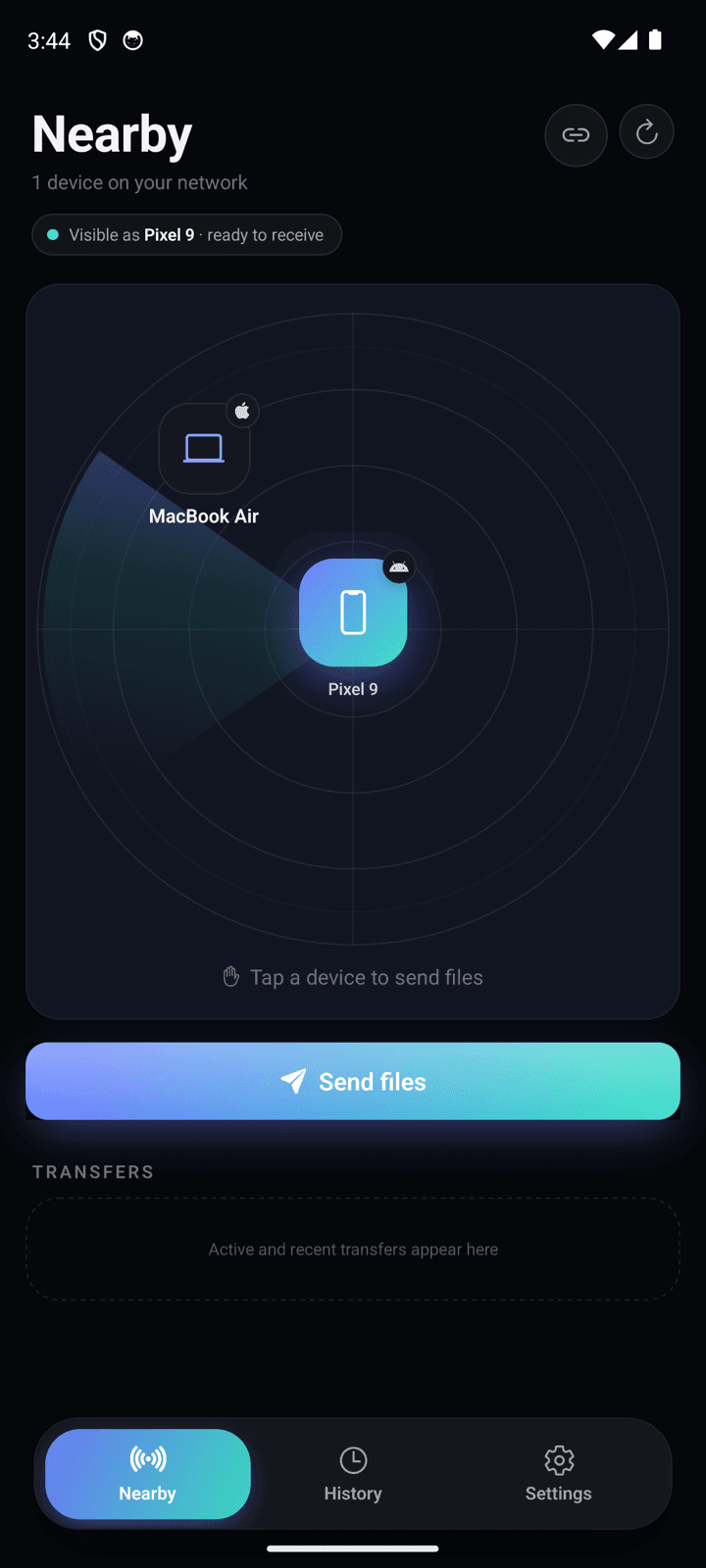
Desktop for macOS, Windows and Linux. A phone app for Android. They find each other, talk the same language and look the part — in light or dark.
Nearby
2 devices on your network
Features
Everything you need to move files. Nothing you don’t.
No accounts, no ads, no uploads to a server. Just your devices, talking to each other.
Nearby radar
Devices running Synqo on your network pop up on their own. Tap one to send — no codes, no pairing.
Big files, full speed
Files stream straight from disk to disk, so multi-gigabyte videos are fine. As fast as your Wi-Fi allows.
Nothing arrives uninvited
Every transfer asks first. Trust a device and it’s accepted automatically next time.
Connect by IP
Device hiding? Type its address and it joins your radar.
Open it right away
Tap a received file to open it — even an app to install — or jump to its folder. Moved or deleted? History says so.
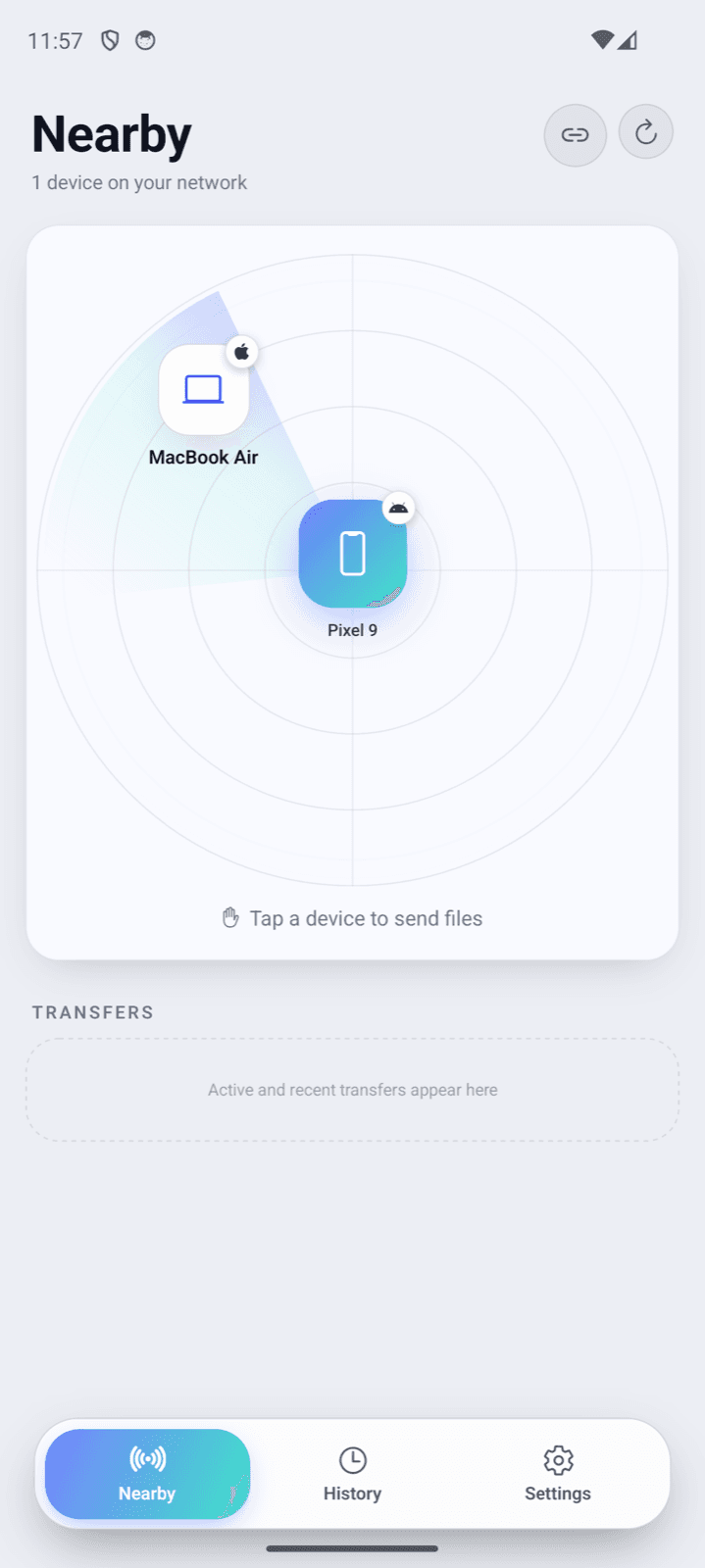
Light or dark
Follows your system, or pick one. Same look on every device.
Private by design
No servers, no accounts, no tracking. Files go from one device to the other on your own network and never touch the internet. History stays on your device.
- Tap a device
- Pick files
- Send
Visible as Edgar’s MacBook · ready to receive
Send your way, receive without trying
Tap a device then pick files, or pick files then choose a device. Receiving needs no mode: Synqo is always ready, and shows the name others will see.
Updates inside the app
See what’s new and update in a tap — no app store, no hunting for downloads. Always optional, and you can turn update checks off.
Why Synqo
Every box ticked, on every device.
Other ways to share are great at some of this. Synqo is built to do all of it — across every platform, with nothing in between.
Cloud links: services like Google Drive or WeTransfer. Based on each app’s standard features as of November 2026.
No shared Wi-Fi?
Make your own network in one tap.
At a café, on a trip, or anywhere the Wi-Fi blocks devices from seeing each other: one phone shares a private hotspot, the other scans its QR code. No internet or mobile data is used.
AndroidShare_2587
| Device | How it connects |
|---|---|
| Android | Shares a hotspot in one tap, or joins one by scanning its QR code |
| Windows | Joins a phone’s hotspot in one click — or shares its own Mobile hotspot |
| macOS | Joins a phone’s hotspot in one click |
| Linux | Joins a phone’s hotspot in one click |
Best setup: an Android phone shares the hotspot and everything else joins it.
Download
Free on every device you own.
Install Synqo on at least two devices. Always the latest version — straight from our GitHub releases.
macOS
v0.4.1 · Nov 5, 2026
macOS 12 Monterey or newer
First launch: if macOS asks, choose Open Anyway in System Settings › Privacy & Security, then allow Local Network.
Windows
v0.4.1 · Nov 5, 2026
Windows 10 or 11 (64-bit)
First launch: if SmartScreen appears, choose More info › Run anyway, then allow Synqo through the firewall.
Linux
v0.4.1 · Nov 5, 2026
64-bit Linux (x64 or ARM64)
First launch: make the AppImage executable and run it, or install the .deb.
Android
v0.3.1 · Nov 5, 2026
Android 7.0 or newer
First launch: allow your browser to install apps when Android asks.
Older versions, checksums and release notes: GitHub releases
FAQ